User Data/Account Deletion
User data deletion
Any user can delete his/her
account any time. When account is deleted all data
related to this account is also permanently delete. In order to delete account
please follow below steps in the app.
Step 1:
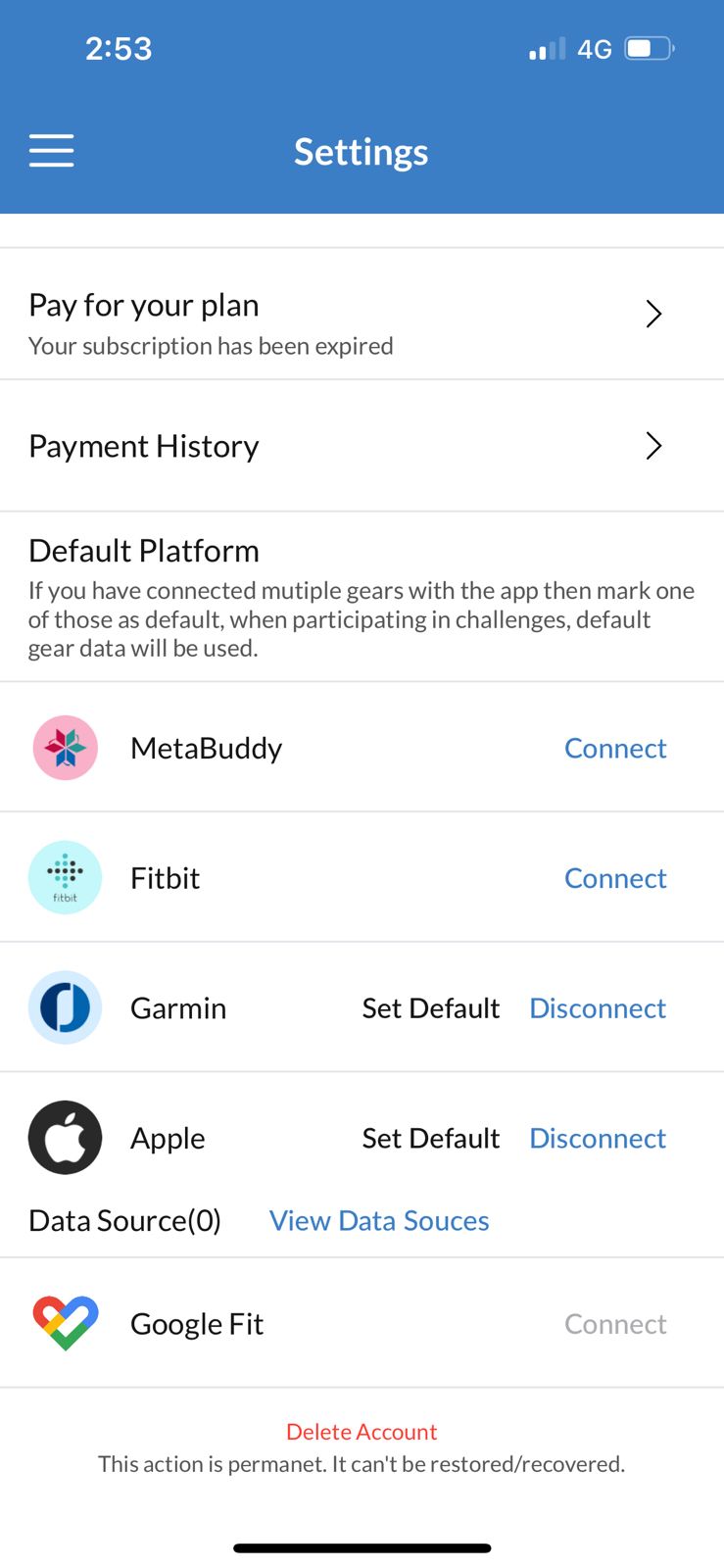
Open the app on your phone, go to home
screen and press top left menu icon. Then open the Settings screen.
Step 2:
Press the delete account
option
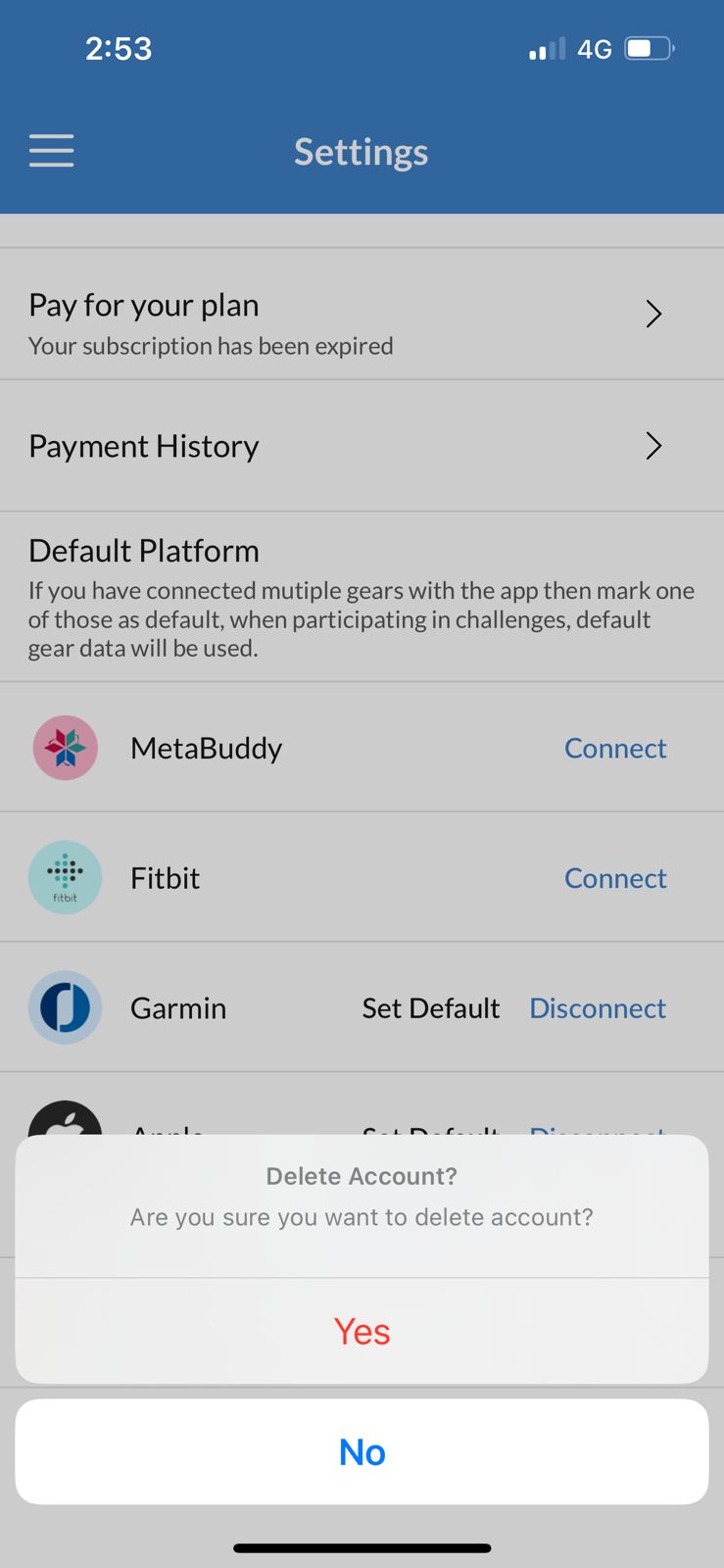
Step 3:
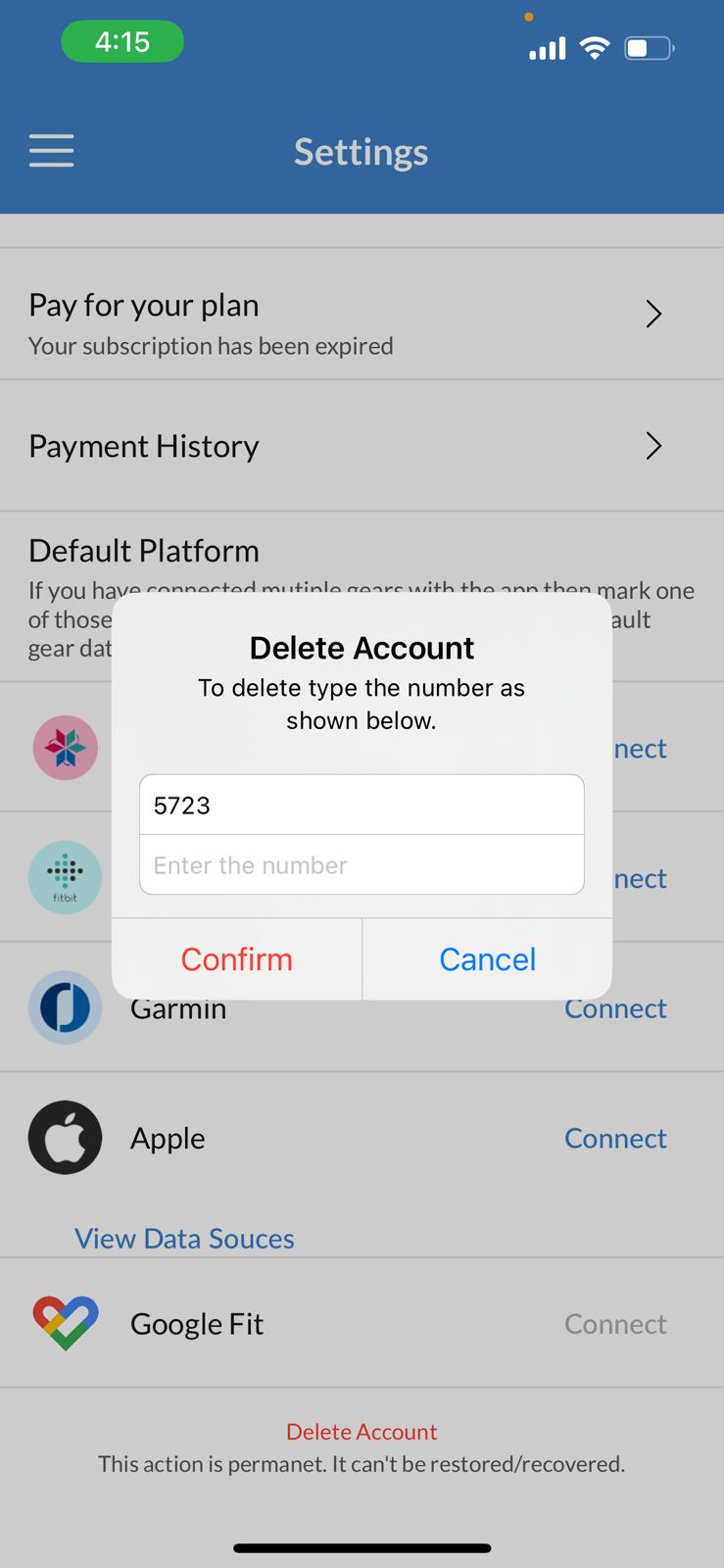
Confirm by typing the
number shown in the popup.